जमा करने का तरीका
जिस मुद्रा को आप देख रहे हैं, उसी मुद्रा में जमा करें, और ट्रांसफर से पहले क्या तैयार करना है।
- 1
चरण 1
जमा स्क्रीन खोलें
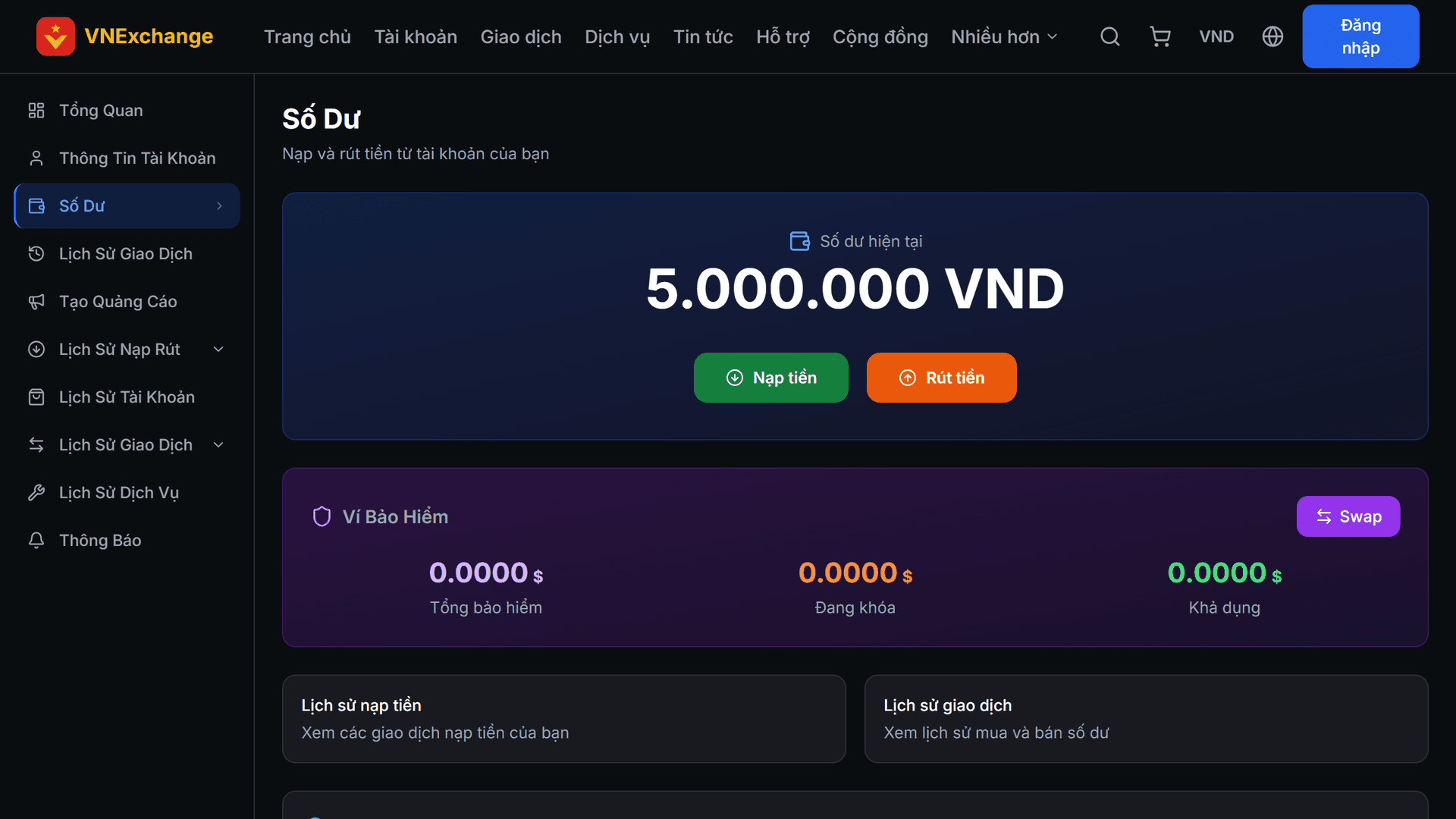
लॉगिन करें, साइडबार में बैलेंस पर जाएँ और फिर जमा करें दबाएँ। यह पृष्ठ आपका बीमा वॉलेट और जमा इतिहास भी दिखाता है।
- 2
चरण 2
राशि दर्ज करें
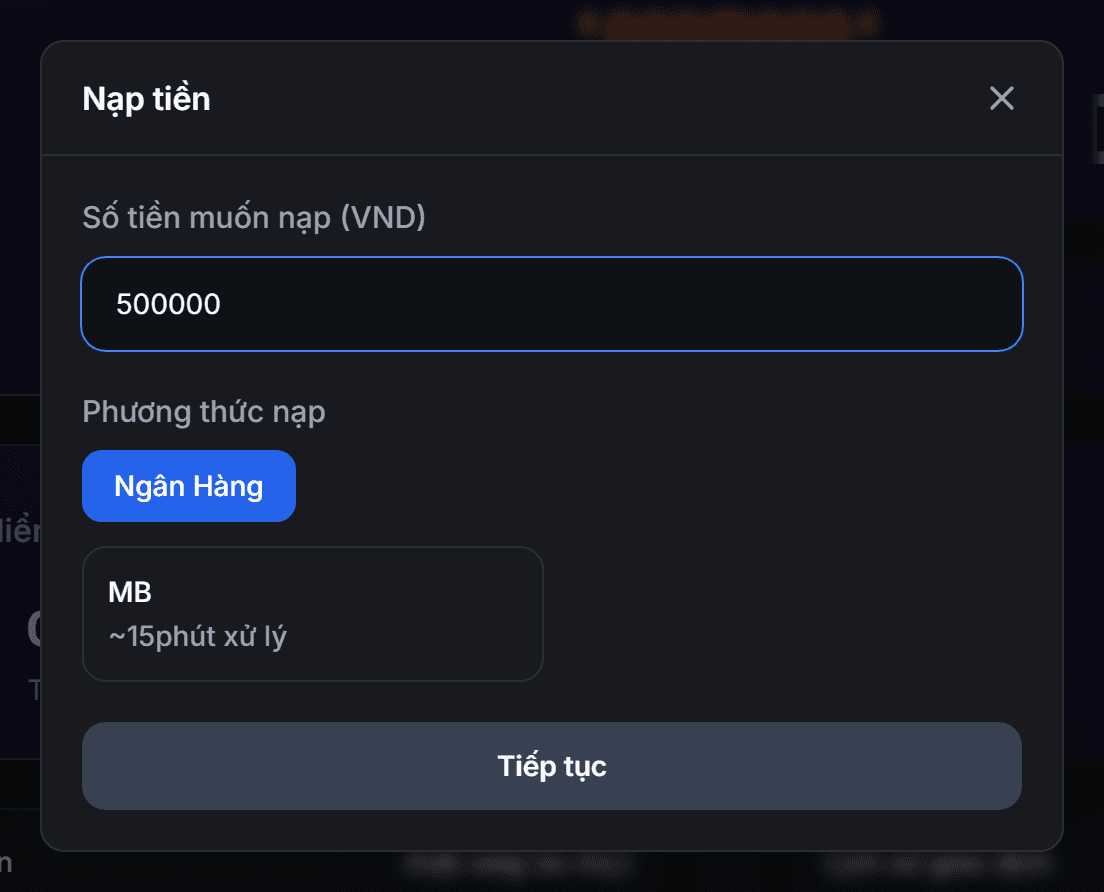
इनपुट फ़ील्ड में आप जिस मुद्रा को चुन रहे हैं, वह स्पष्ट रूप से दिखेगा — यदि आप EUR चुनते हैं तो यूरो की संख्या दर्ज करें, VND नहीं। ठीक नीचे, सिस्टम समतुल्य USDT राशि दिखाता है ताकि आप तुलना कर सकें। न्यूनतम जमा राशि 100.000 VND के बराबर है। यदि आप किसी अन्य मुद्रा में जमा करना चाहते हैं, तो पहले ऊपर‑दाएँ कोने में मुद्रा बदलें।
- 3
चरण 3
भुगतान विधि चुनें
सूची केवल उन भुगतान विधियों को दिखाती है जो आपकी चुनी गई मुद्रा के लिए उपलब्ध हैं — उदाहरण के लिए, स्थानीय बैंक ट्रांसफ़र केवल तभी दिखता है जब आप VND उपयोग कर रहे हों। यदि आप किसी अन्य मुद्रा में कीमतें देख रहे हैं, तो पूरी सूची के लिए "सभी विधियाँ दिखाएँ" पर क्लिक करें।
- 4
चरण 4
धन ट्रांसफर करें और अनुरोध भेजें
अगला स्क्रीन भुगतान विधि की इकाई में भेजी जाने वाली राशि (बैंक के लिए VND, क्रिप्टो वॉलेट के लिए USDT) और ट्रांसफर विवरण दिखाता है। सही राशि और सही विवरण दर्ज करें — गलत विवरण से लेन‑देन मेल नहीं खा पाएगा। फिर लेन‑देन कोड दर्ज करें, रसीद की फोटो अपलोड करें और भेजें। स्टाफ़ की पुष्टि के बाद राशि आपके खाते में जोड़ दी जाएगी और आपको ईमेल भेजा जाएगा।