How to buy an account
Find the right product, understand quantity discounts, and track your order after purchase.
- 1
Step 1
Find a product
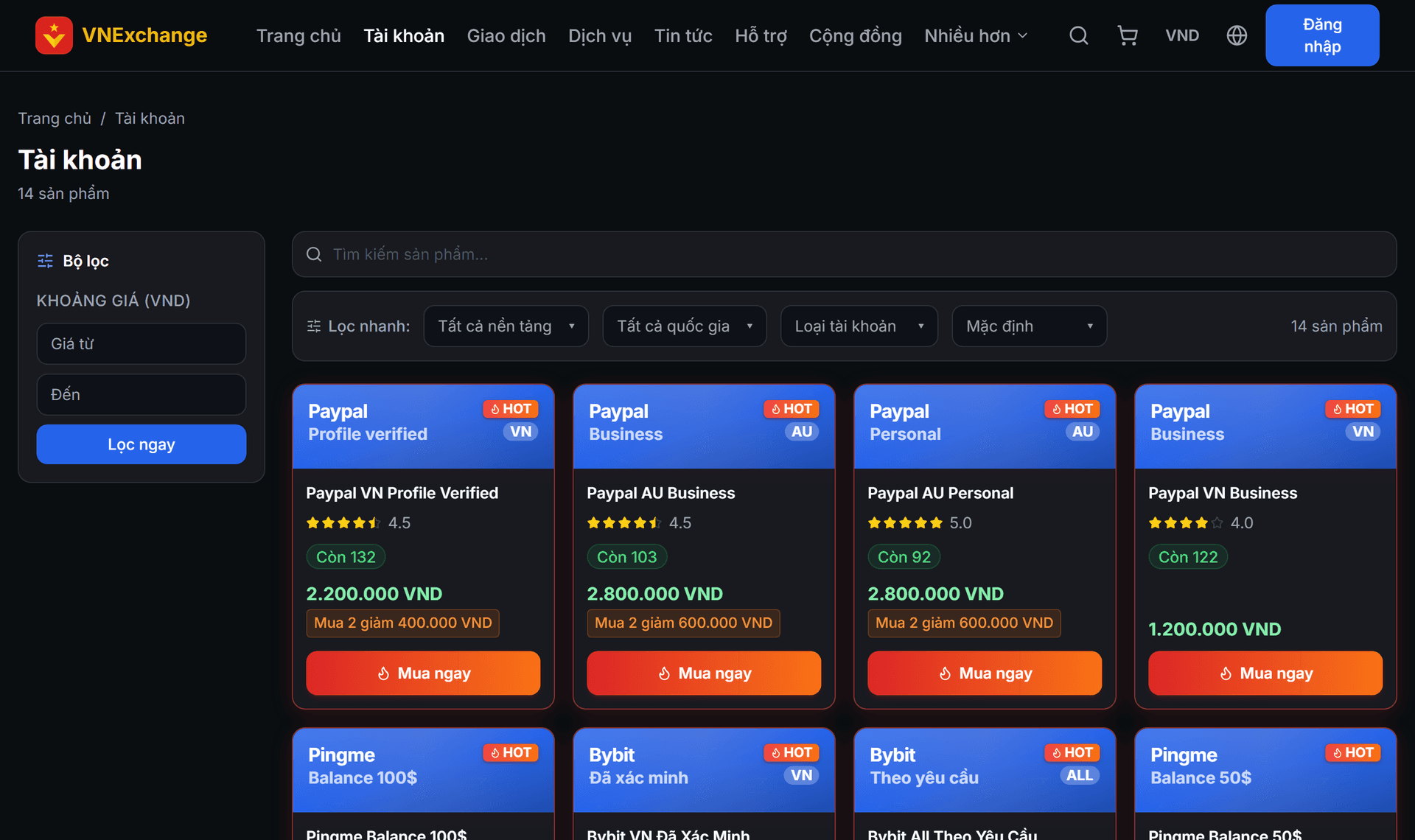
Go to the Accounts section. Use the "Quick Filter" bar to filter by platform, country, and account type, or type in the search box. The product card shows the price, stock quantity, star rating, and a HOT label if it is in high demand.
- 2
Step 2
Read the detail page carefully
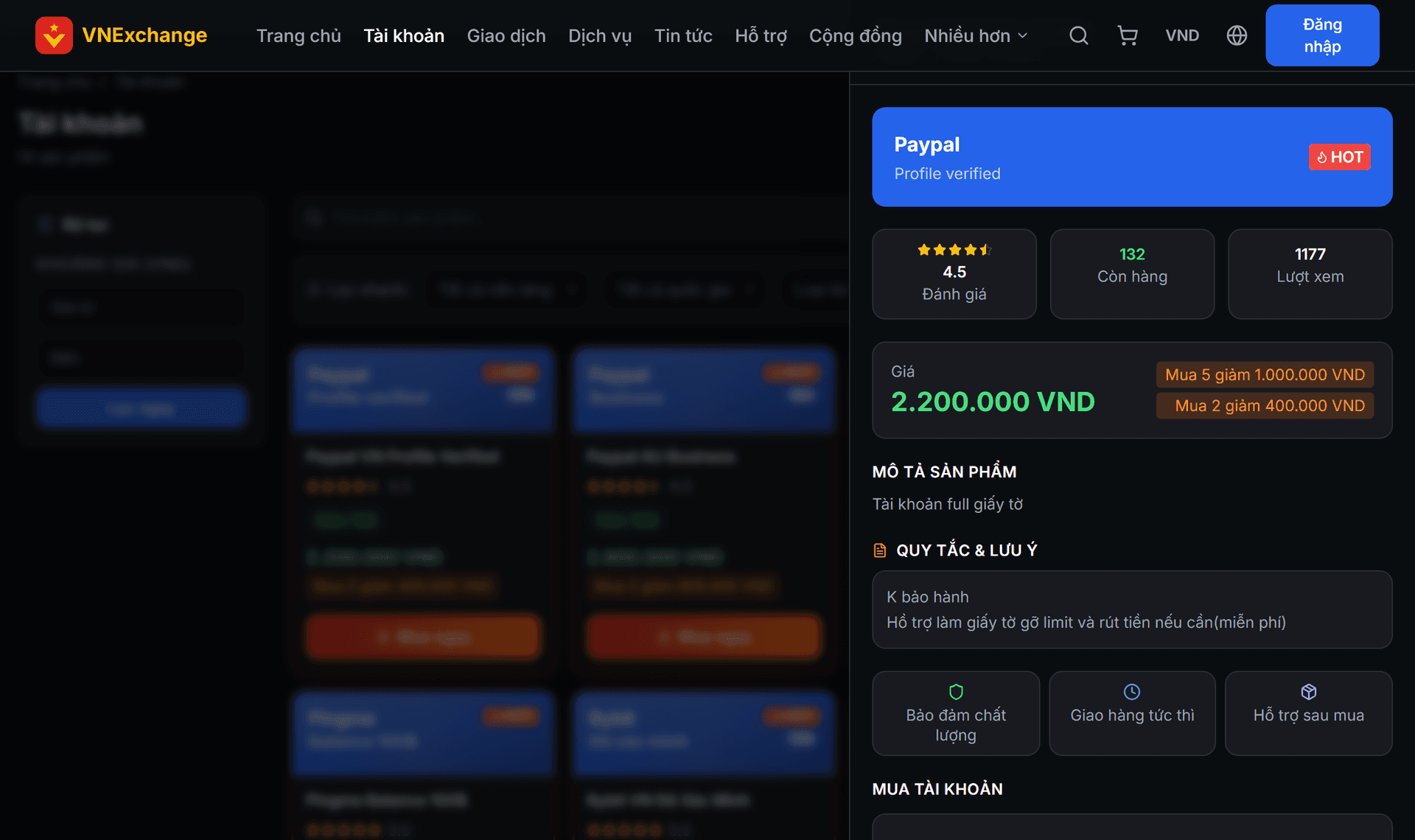
Click on the product to open the detail page. Read the Description and Rules / Terms sections before purchasing — they specify what the product includes and whether it has a warranty. This page also lists the minimum and maximum quantities per purchase.
- 3
Step 3
Select quantity
Increase the quantity, and the total amount updates instantly. If there is a quantity discount program, the system automatically applies it when you reach the threshold and clearly shows the amount reduced — you don’t need to enter any code. To purchase multiple different products in one go, click Add to cart and then checkout on the Cart page.
- 4
Step 4
Place order and track
Click Buy now. The money is deducted from your balance, so make sure to deposit enough beforehand. The order appears in Account purchase history with the order code. While the order is in *Pending* status, you can cancel it yourself and the funds will be instantly refunded to your balance. After the staff processes it, the file or account information will be attached to that same order.