How to Deposit Funds
Deposit using the correct currency you are viewing, and know what to prepare before making a transfer.
- 1
Step 1
Open the Deposit Screen
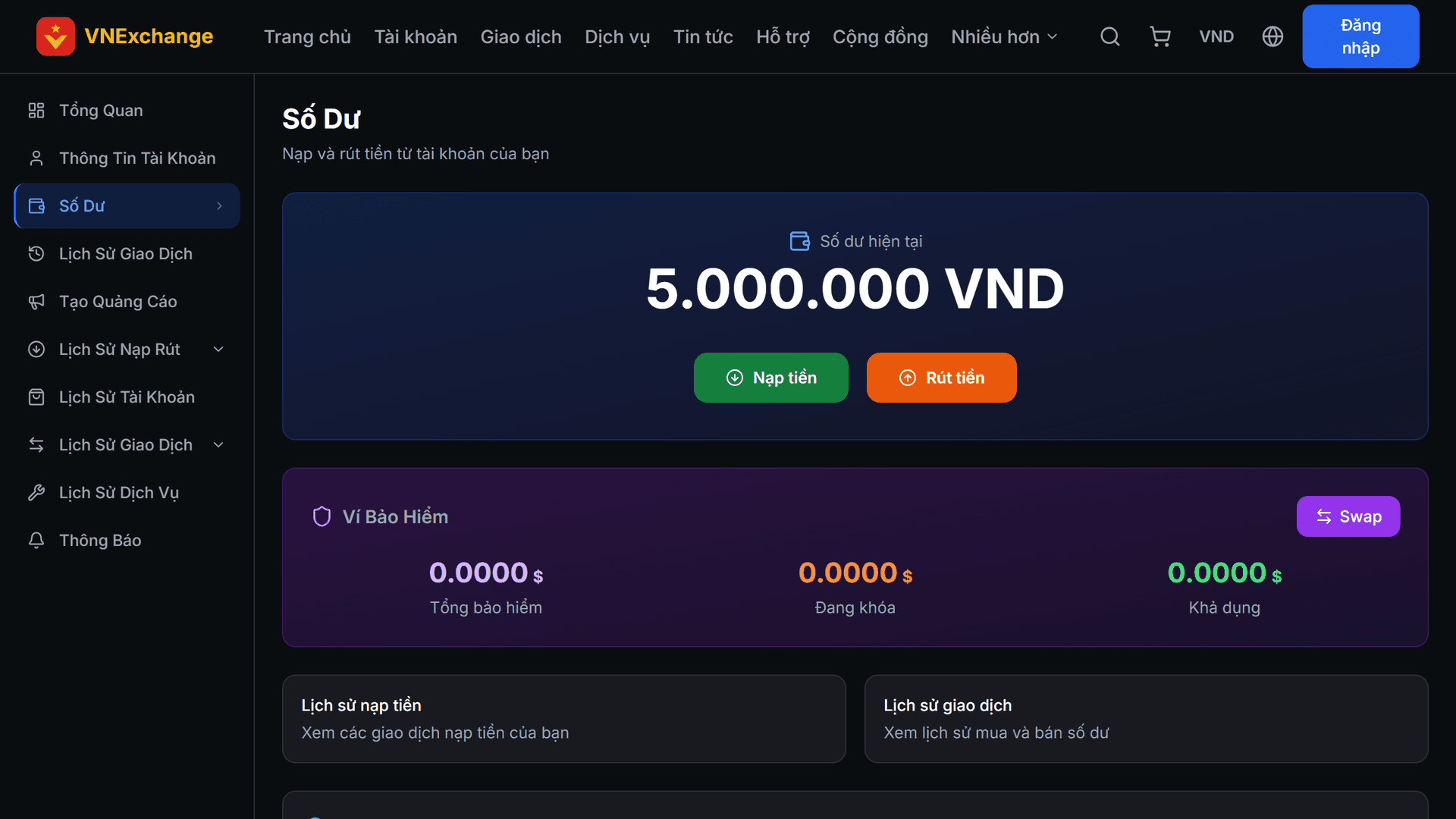
Log in, go to Balance in the side menu and click Deposit. This page also shows your insurance wallet and deposit history.
- 2
Step 2
Enter Amount
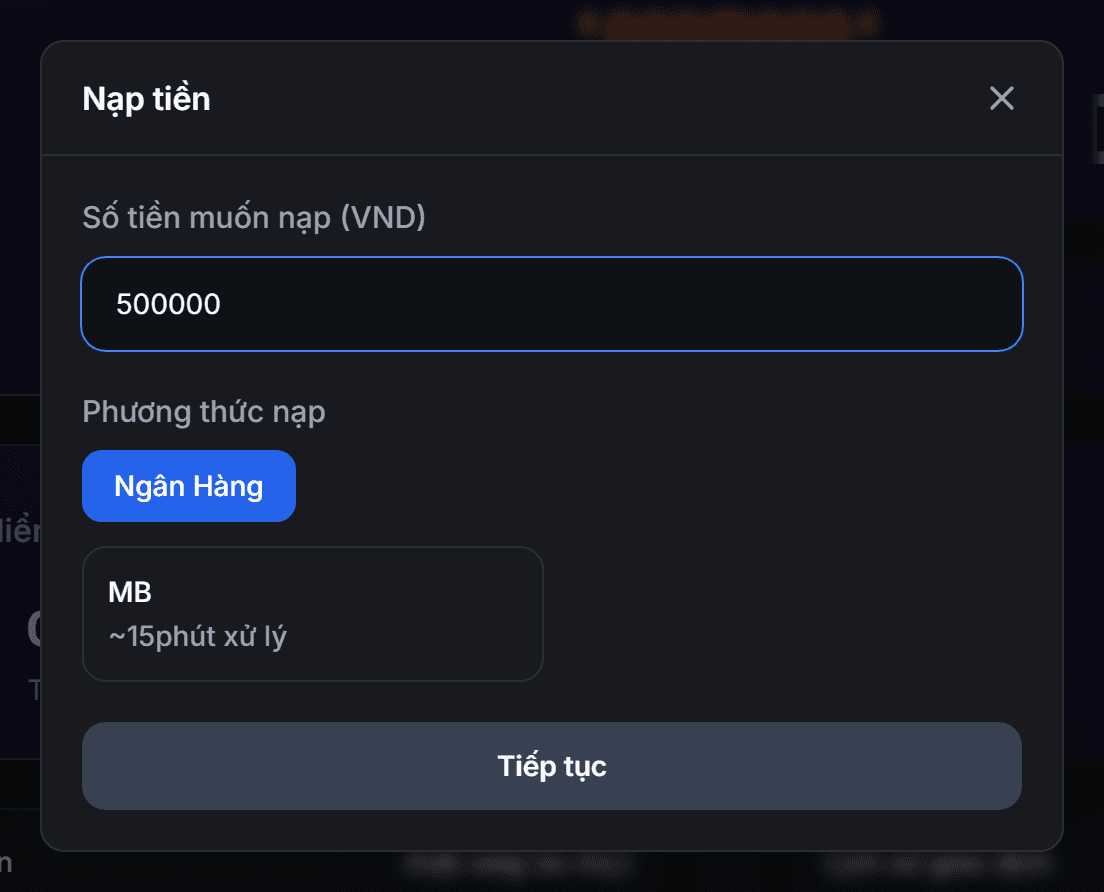
The input field indicates the currency you have selected — if you choose EUR, enter the amount in euros, not VND. Directly below, the system shows the equivalent USDT for you to compare. The minimum deposit amount is equivalent to 100,000 VND. To deposit in another currency, change the currency type at the top right corner first.
- 3
Step 3
Select Payment Method
The list only displays methods available for the currency you selected — for example, local bank transfer appears only when you are using VND. If you are viewing prices in another currency, click "Show all methods" to expand the full list.
- 4
Step 4
Transfer Funds and Submit Request
The next screen shows the amount to transfer in the correct unit for the method (VND for bank, USDT for crypto wallet) along with the transfer reference. Transfer the exact amount and correct reference — an incorrect reference means the order cannot be matched automatically. Then enter the transaction ID, upload the receipt image and submit. Once approved, staff will credit the funds and email you.