How to sell foreign currency balance
Sell to VNExchange, or sell to a partner via P2P ads.
- 1
Step 1
Choose a selling method
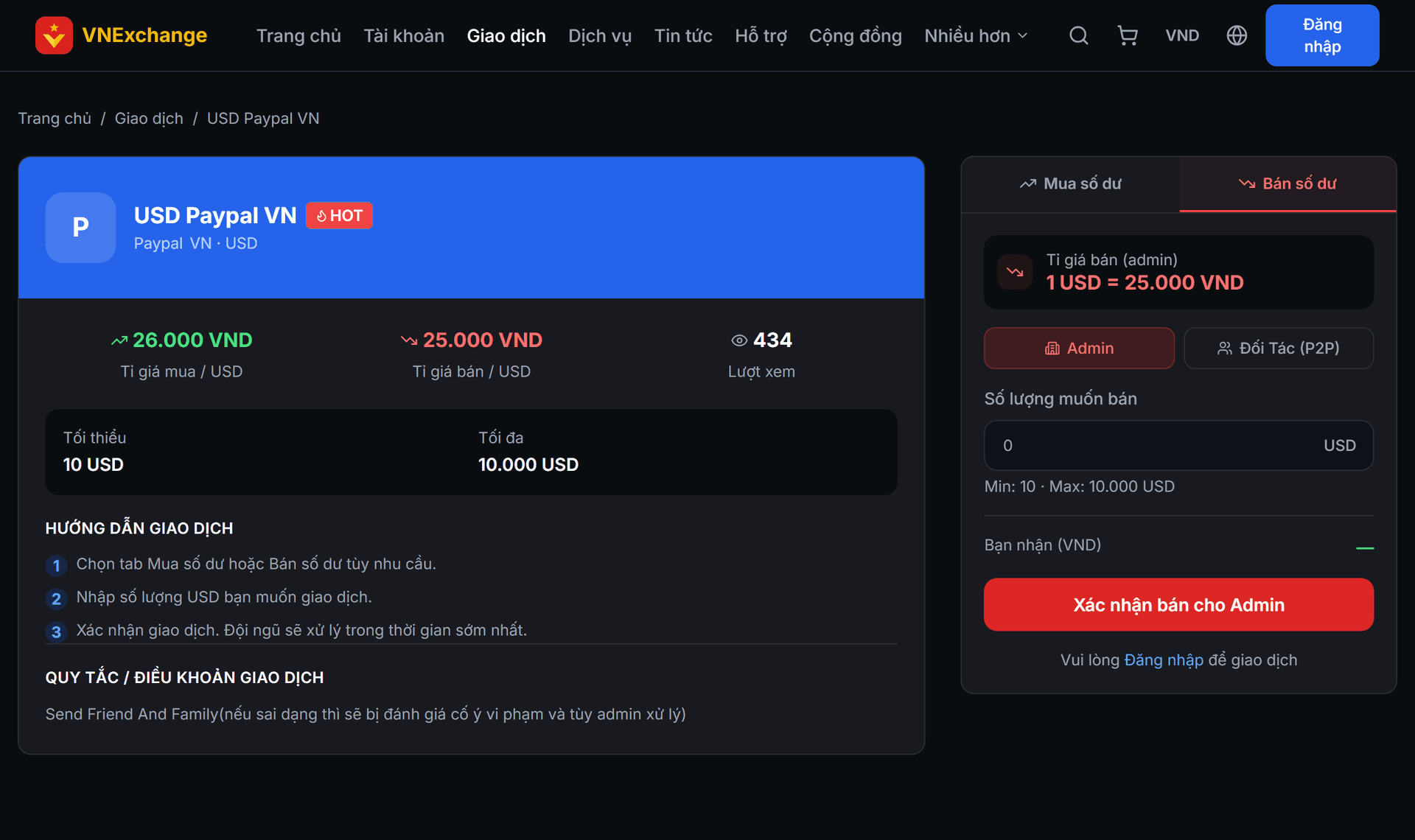
On the Buy and Sell page, tap Sell. There are two routes: sell directly to VNExchange at the listed rate, or sell to partners — members who post ads to buy at their own rates. Selling to partners usually gets a better price but you have to wait for their confirmation.
- 2
Step 2
Sell to VNExchange
Enter the amount, and the system will display the amount you will receive. The screen will provide our receiving information. Transfer the foreign currency out, then return and tap Transferred. After staff reconcile, they will credit the amount to your balance.
- 3
Step 3
Sell to partner
Select an ad from the list. The system only shows partners who have sufficient insurance wallets to guarantee your transaction, and the corresponding amount is locked as margin as soon as you select — this protects you if the partner defaults. Transfer the money according to the information they provide and then tap Transferred.
- 4
Step 4
If the partner does not confirm
After you tap "Transferred", the partner has 15 minutes to confirm. If more than 15 minutes pass without a response, the Complaint button will appear for you. See the article *Complaint and handling procedures* to learn the next steps.