How to buy foreign currency balance
Buy foreign currency from VNExchange at the listed exchange rate.
- 1
Step 1
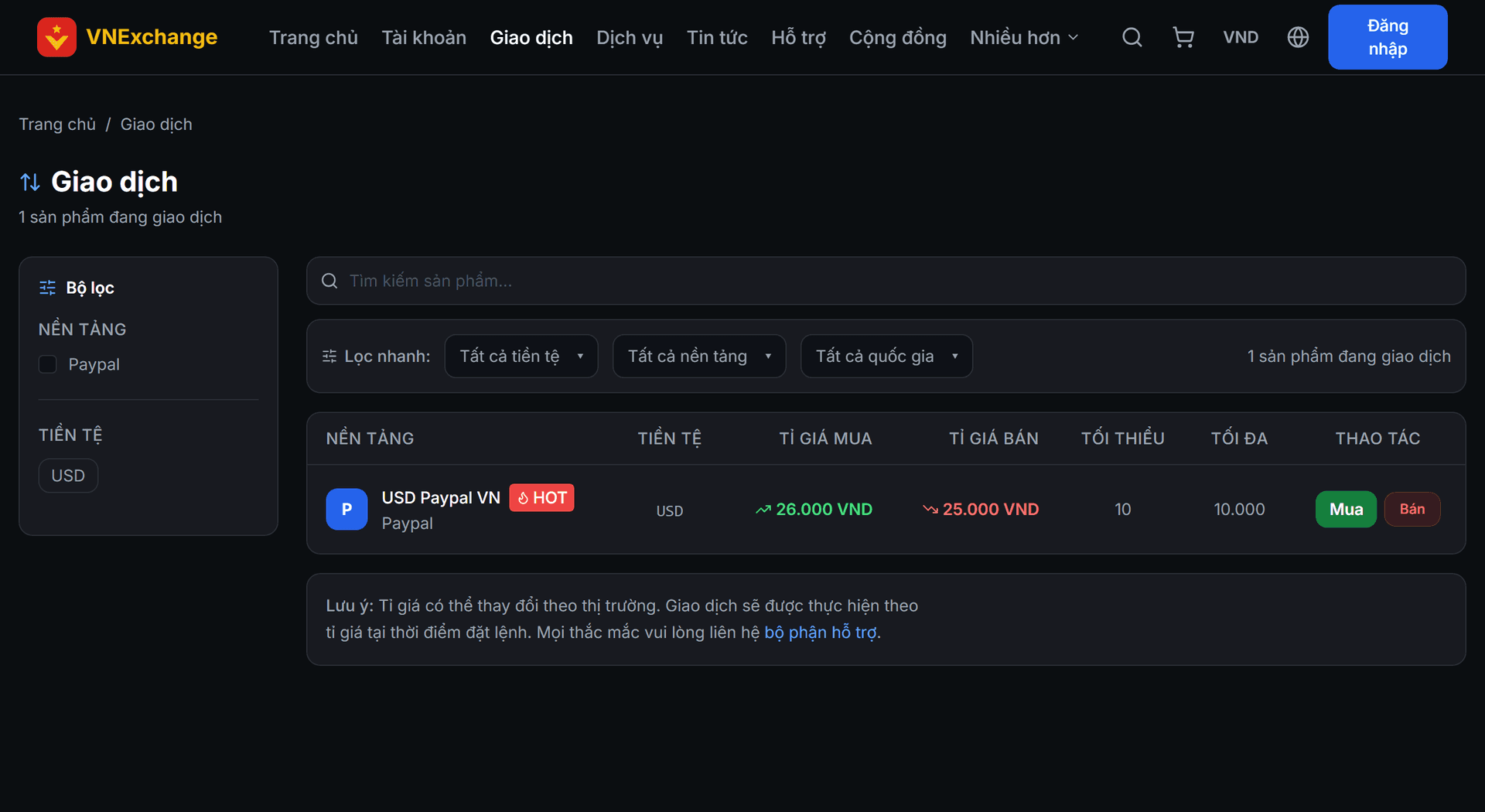
View the exchange rate table
Go to the Buy & Sell section. The table lists each platform with buy rate (the price you purchase at) and sell rate (the price you sell at), along with the minimum and maximum limits per order. Products that are temporarily suspended will have a separate label and cannot be ordered.
- 2
Step 2
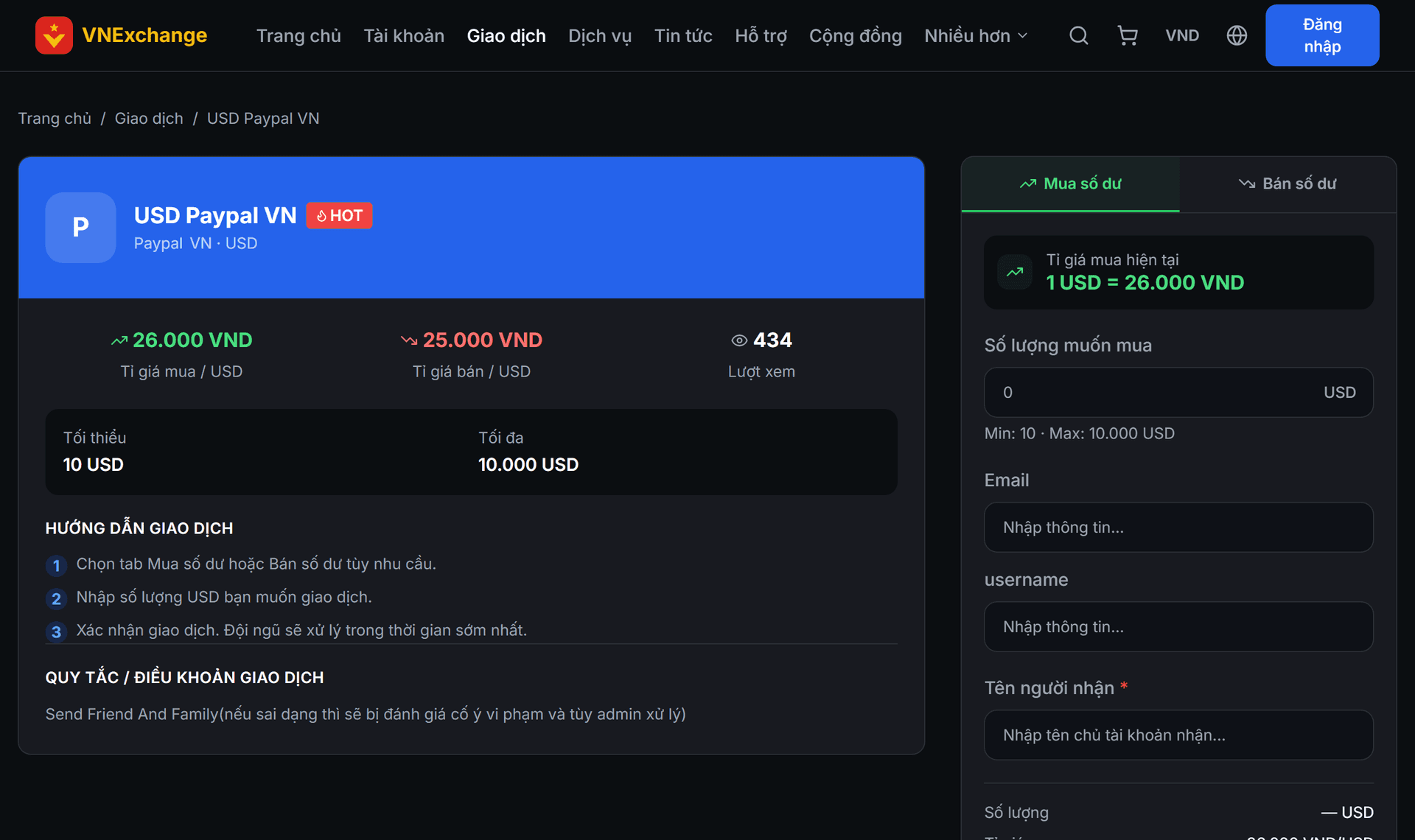
Enter the amount
Click Buy to open the order entry panel. Enter the amount of foreign currency you wish to purchase; the total amount payable is shown instantly below at the current exchange rate. Verify that the amount falls within the minimum‑maximum range.
- 3
Step 3
Confirm
Click confirm, the funds are deducted from your balance and the order is created with *Pending* status. Track it in Transaction History. The exchange rate recorded on the order is the rate at the time of placement; later changes to the rate table do not affect the placed order.